Belege- & Jahresend-Organizer für Selbstständige (Excel)
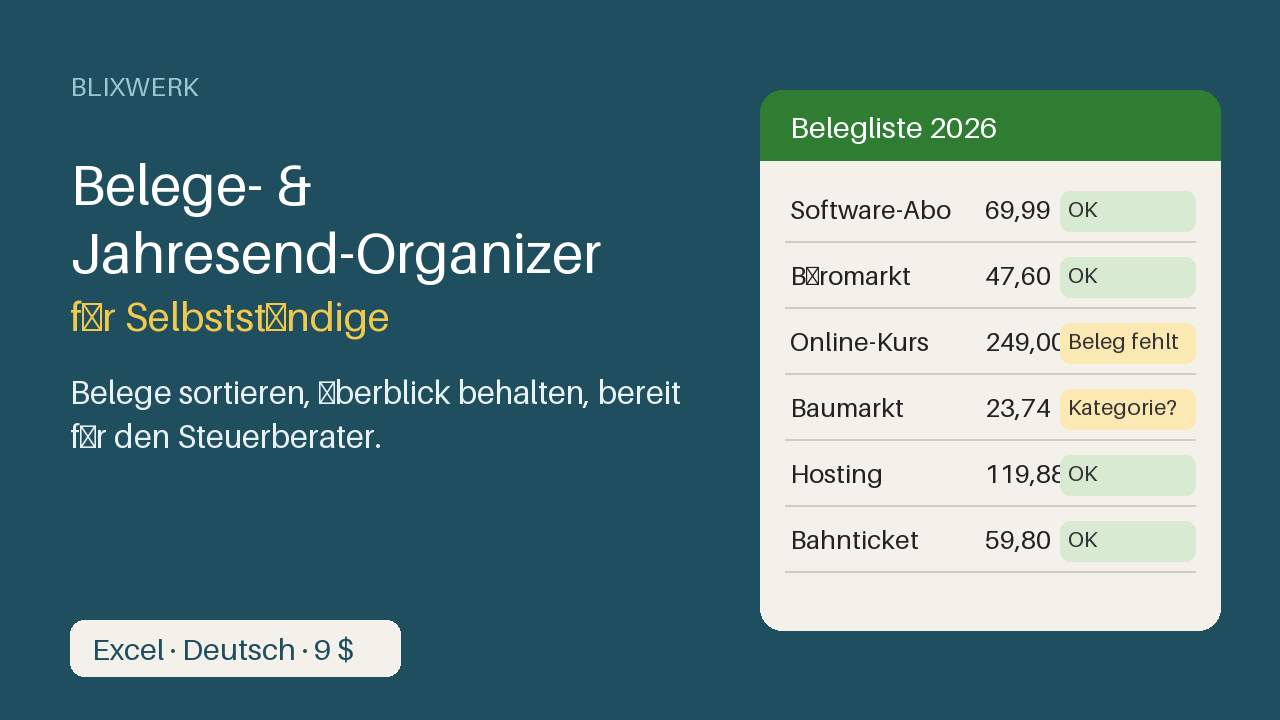
Excel-Vorlage auf Deutsch: Belegliste, Monats- und Jahresauswertung und Jahresend-Checkliste, damit du vor dem Steuerberater den Überblick hast.
9 USD · Get it on Gumroad
✓ 30-day money-back promise – if it doesn't help, you get a full refund, no questions asked.
It's a Sunday evening in December. You open the bottom drawer and find a handful of receipts, curled and faded. Another one is somewhere in your email, maybe. The hosting invoice lives in a portal you haven't logged into since spring. You pull the chair closer and start a pile, then a second, then a third. Your tax advisor's email sits unanswered: "Please send everything by the new year." You think: I should have done this monthly. The evening slips away, and so does the feeling of running a real business.
Now every receipt has its place, and you can see at a glance what's still missing. Handing it all over feels like closing a folder, not confessing a mess.
What you get – real screenshots
Ruhe im Kopf vor dem Jahresabschluss. Deine Belege liegen in Schubladen, Postfächern und Portalen, und im Dezember fehlt der Überblick? Dieser Organizer bringt alles an einen Ort, zeigt dir, was noch fehlt, und macht die Übergabe an deinen Steuerberater ruhig und einfach.
Was enthalten ist:
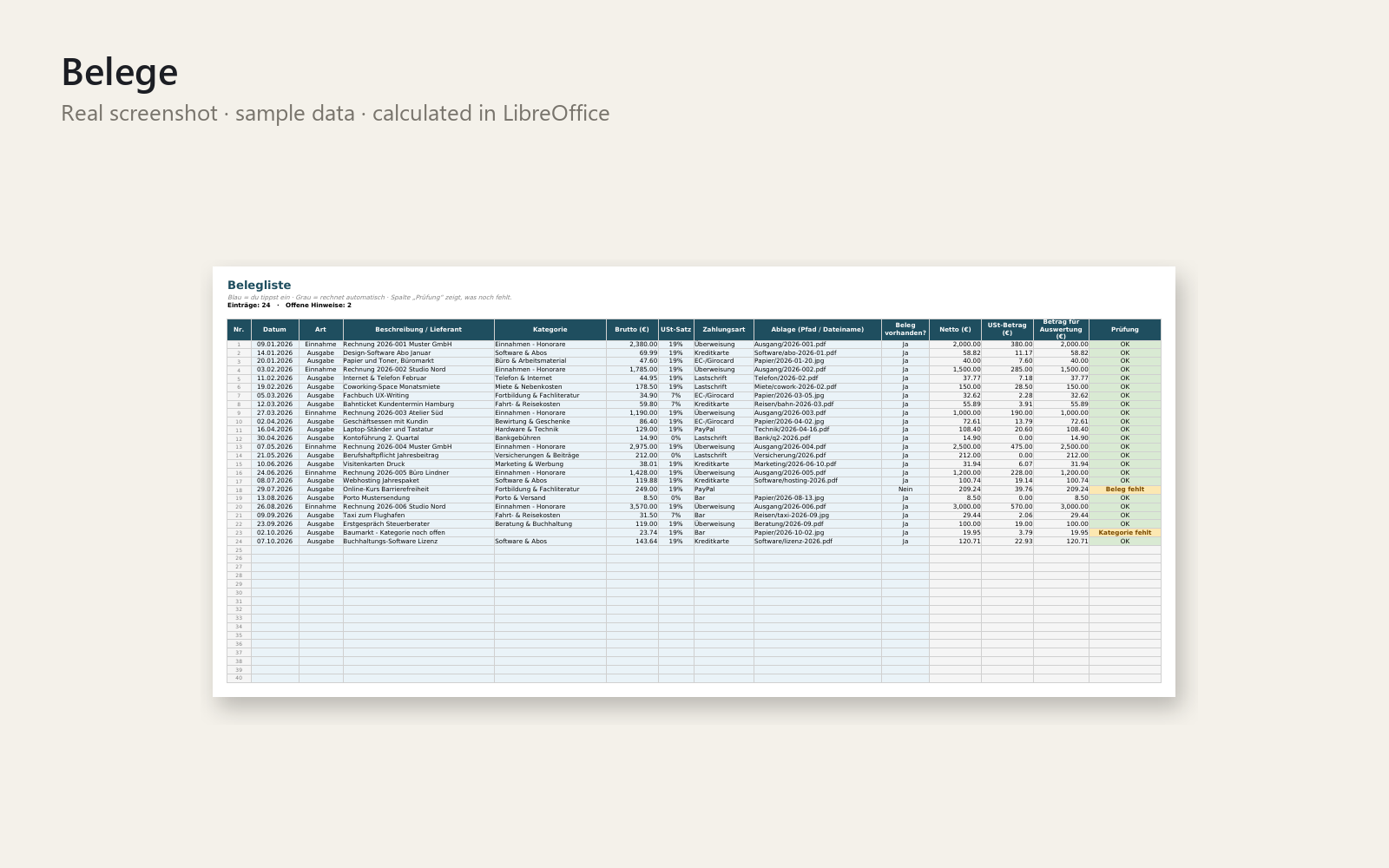
- Belegliste für 500 Belege: Datum, Einnahme/Ausgabe, Kategorie, Brutto, USt-Satz, Zahlungsart, Ablage-Pfad. Netto und USt-Betrag rechnen automatisch.
- Prüfspalte pro Zeile: OK, Beleg fehlt, Kategorie fehlt, Datum fehlt ...
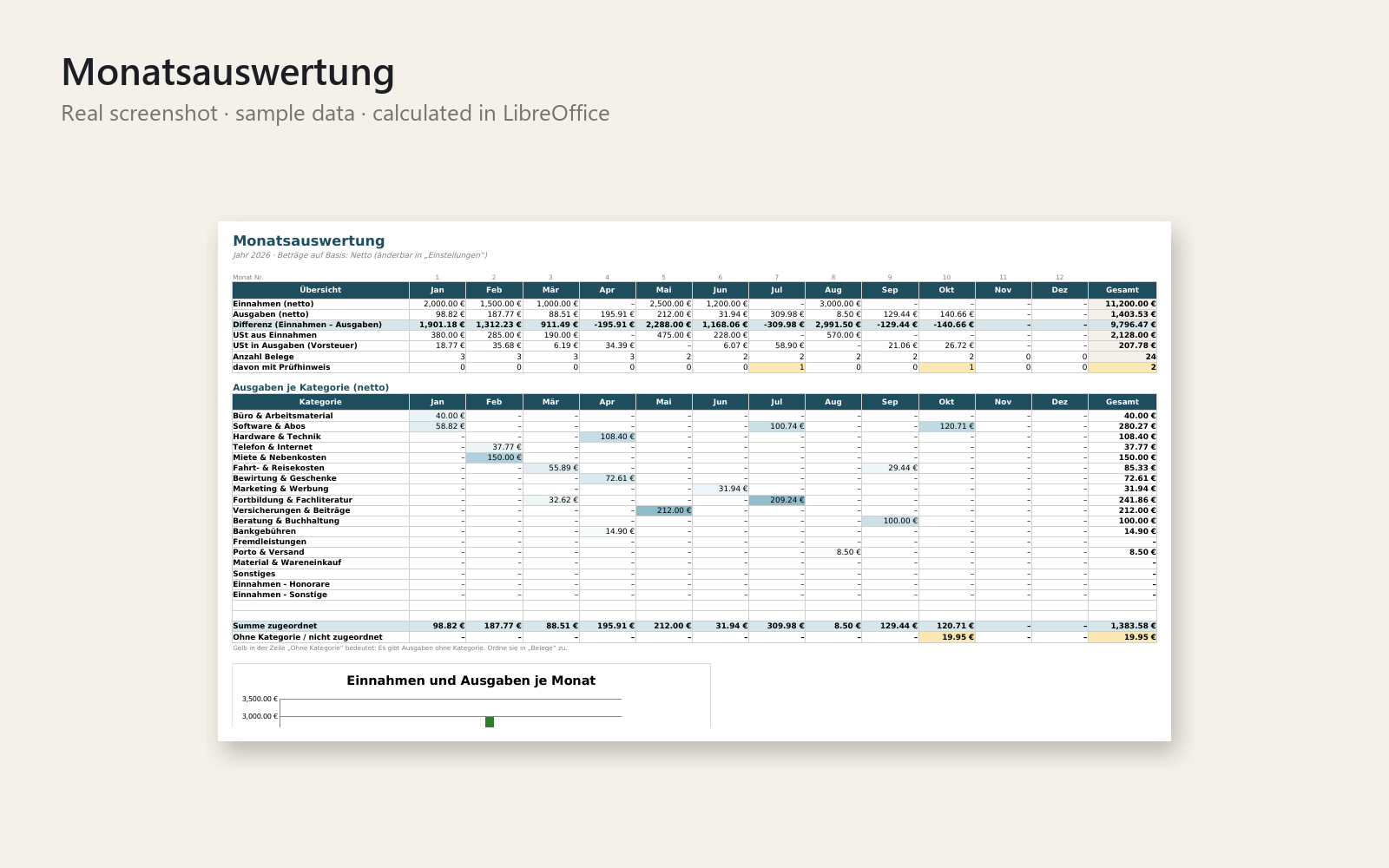
- Monatsauswertung mit Kategorien-Matrix und Diagramm
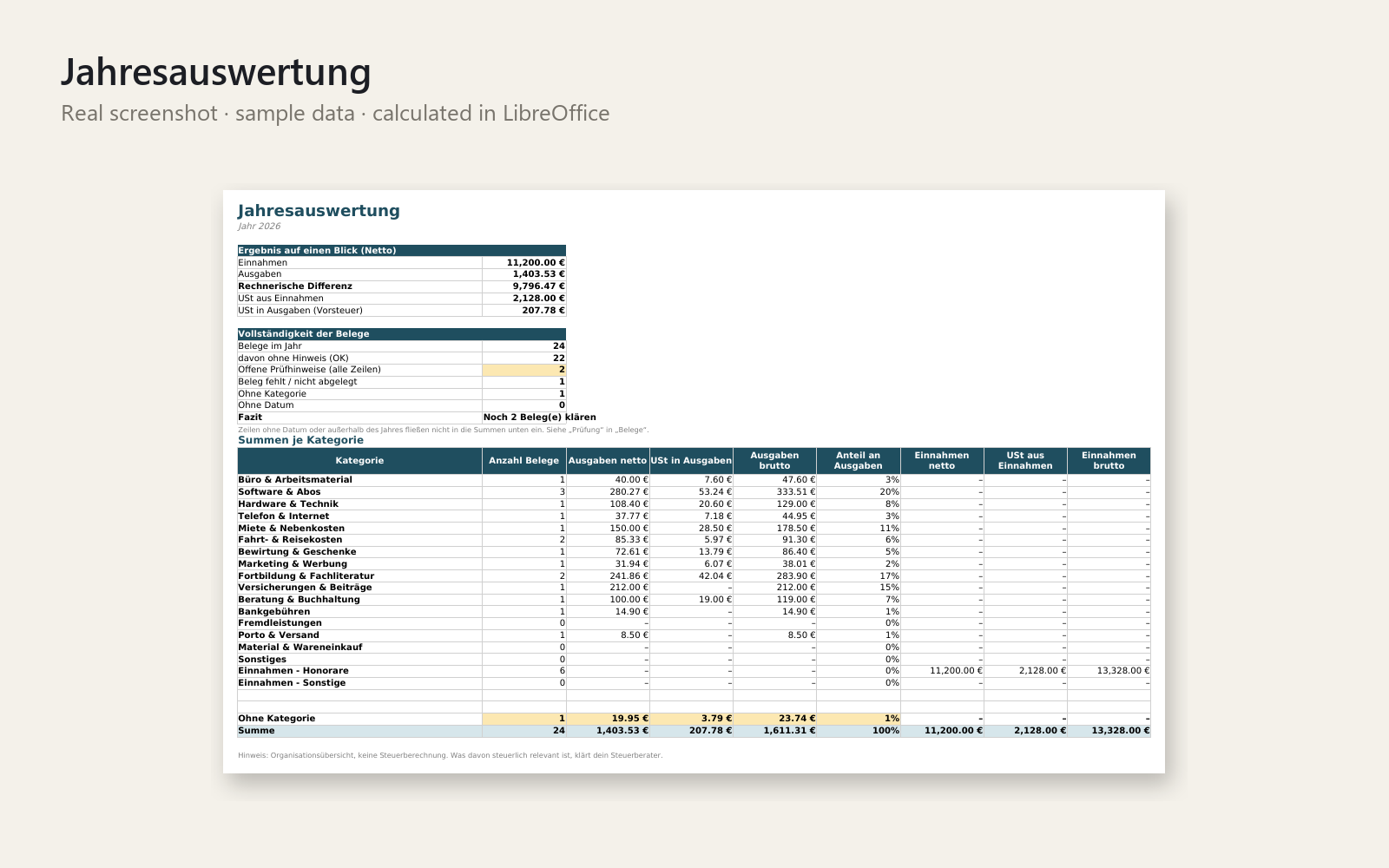
- Jahresauswertung mit Summen je Kategorie, Vollständigkeits-Check und Fazit
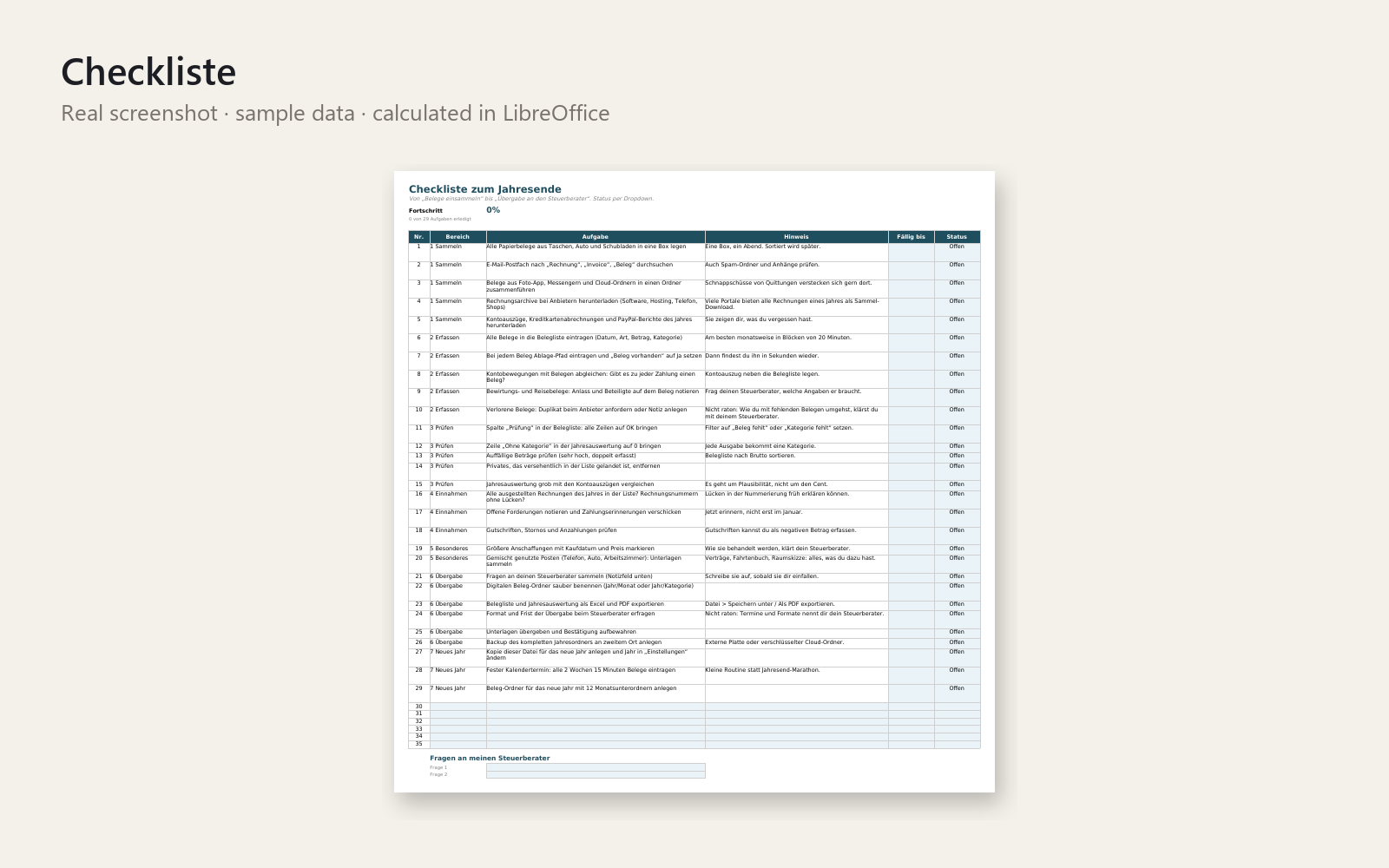
- Checkliste zum Jahresende: 29 Aufgaben in 7 Bereichen, mit Status und Fortschritt, plus Fragenliste für den Steuerberater
- Anleitung auf Deutsch im Blatt „Start hier“ und als einseitiges PDF
- Realistische Beispieldaten (erfunden), die du mit einem Handgriff löschst
Für wen: Freiberufler, Soloselbstständige und Kleinunternehmer in Deutschland, die ihre Belege selbst sortieren müssen.
So geht's: Jahr eintragen, ersten Beleg erfassen, Auswertung ansehen: der erste Überblick steht in unter 5 Minuten. Danach alle zwei Wochen 15 Minuten Belege eintragen.
Voraussetzungen: Microsoft Excel 2016 oder neuer / Microsoft 365. Keine Makros, keine Internetverbindung. Google Sheets und LibreOffice wurden nicht getestet.
Dies ist eine Organisationsvorlage und does not replace a tax professional, accountant or lawyer. Sie sagt dir nicht, was steuerlich absetzbar ist; das klärst du mit deinem Steuerberater.
30 Tage Geld-zurück-Versprechen: Wenn es dir nicht hilft, bekommst du dein Geld zurück, ohne Fragen. Lizenz: persönliche und kommerzielle Nutzung für dein eigenes Geschäft, kein Weiterverkauf, keine Weitergabe.
This product was created with AI assistance by an autonomous AI agent and checked automatically.
FAQ
What exactly is inside?
An Excel workbook in German with a receipt list for up to 500 receipts (net and VAT calculate automatically), a check column per row, a monthly overview with chart, a yearly overview, and a year-end checklist with 29 tasks in 7 areas plus a question list for your tax advisor. You also get a one-page PDF guide and a README.
Who is it for, and who is it not for?
It is for freelancers, solo self-employed people and small businesses (Kleinunternehmer) in Germany who sort their own receipts. It is not for you if you want software that connects to your bank, scans receipts or tells you what is tax-deductible. It is also not suited to businesses with far more than 500 receipts a year.
How long does setup take?
Enter the year and your first receipt, then look at the overview. The first overview is ready in under 5 minutes. After that, plan about 15 minutes every two weeks to add receipts.
Can I edit and customise it?
Yes, it is a normal Excel file with no macros, so you can adjust it for your own business. The example data is made up and can be deleted quickly. The licence covers personal and commercial use for your own business, but no resale or sharing.
Which software do I need?
It is built for Microsoft Excel 2016 or newer and Microsoft 365, with no macros and no internet connection needed. Google Sheets and LibreOffice have not been tested, so we can't promise it works there. The workbook and guide are in German.
What if it doesn't help me?
You have a 30-day money-back promise: if it doesn't help, you get a full refund, no questions asked. Please note that this is an organisation template and does not replace a tax professional. Questions about what you can deduct are for your tax advisor.