Get Paid On Time – Freelance Invoice, Hours & Client Tracker (Excel)
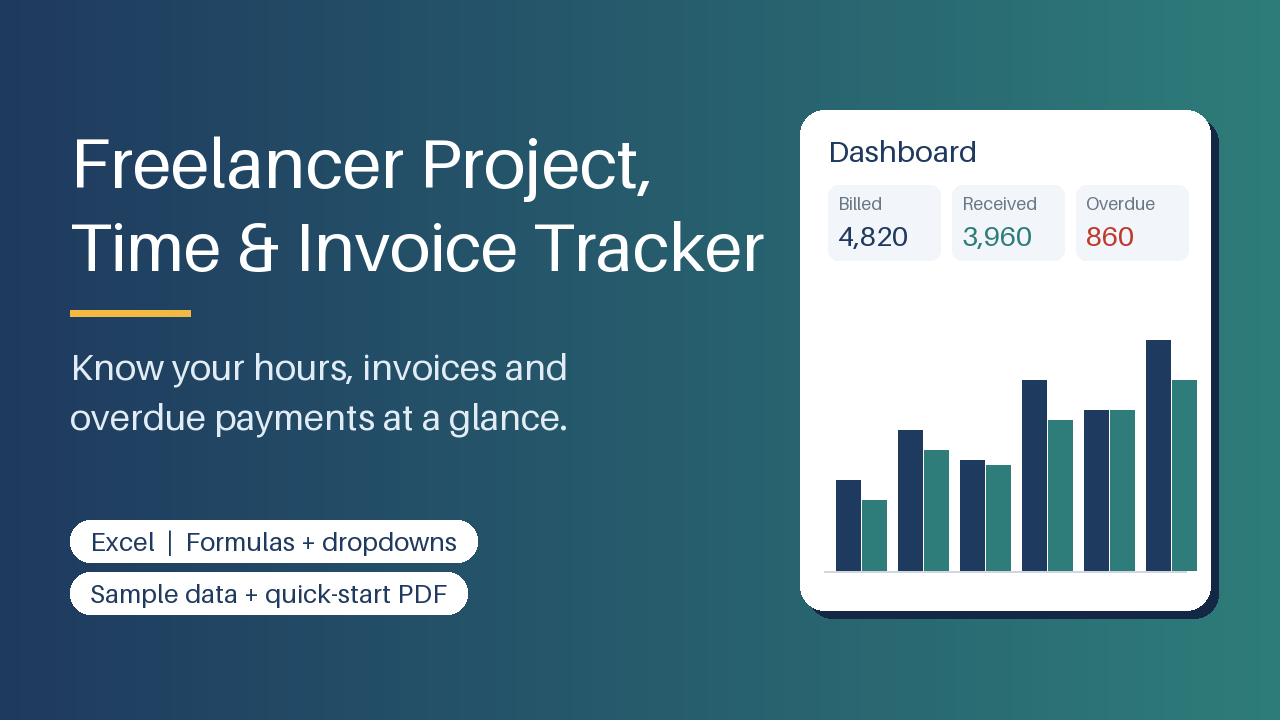
Excel tracker for clients, projects, hours and invoices: auto invoice numbers, due dates, overdue flags, dashboard. Sample data + PDF guide.
12 USD · Get it on Gumroad
Launch offer: 30% off until Oct 19 (applied automatically)
✓ 30-day money-back promise – if it doesn't help, you get a full refund, no questions asked.
It's Sunday evening, and you're scrolling back through your inbox, a notes app and last month's calendar, trying to piece together how long that logo project really took. Somewhere in the pile is a client you're fairly sure you never invoiced. Or did you, and they just haven't paid? You can't say for certain, and you don't want to write the awkward email until you know. So you keep digging, the evening slipping away, quietly doing unpaid work on your own paid work.
Now every hour, project and invoice sits in one place, and you can see at a glance what's been sent, what's been paid and what's waiting. Sunday evening is yours again, and the question of who owes you what has a calm, clear answer.
What you get – real screenshots
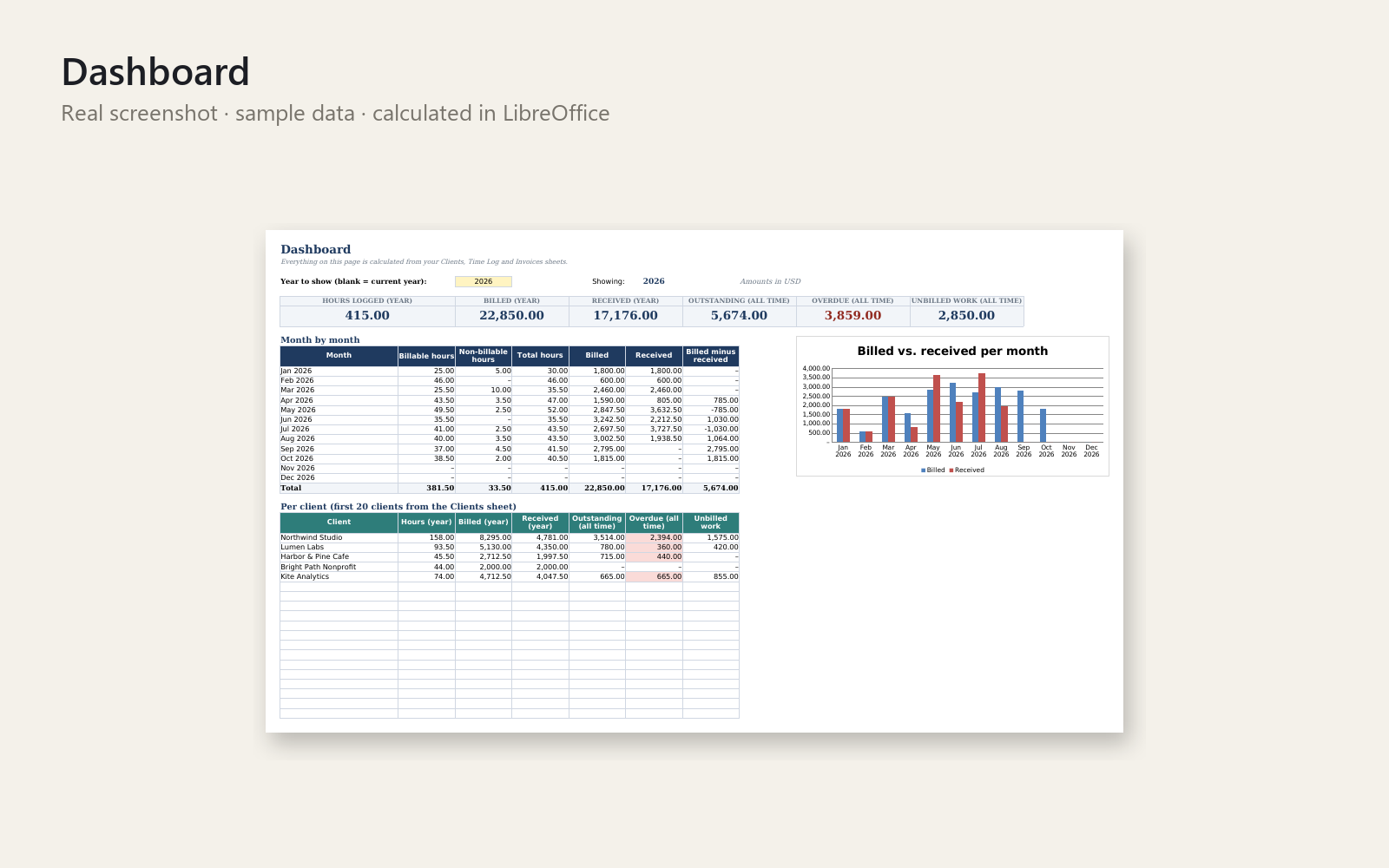
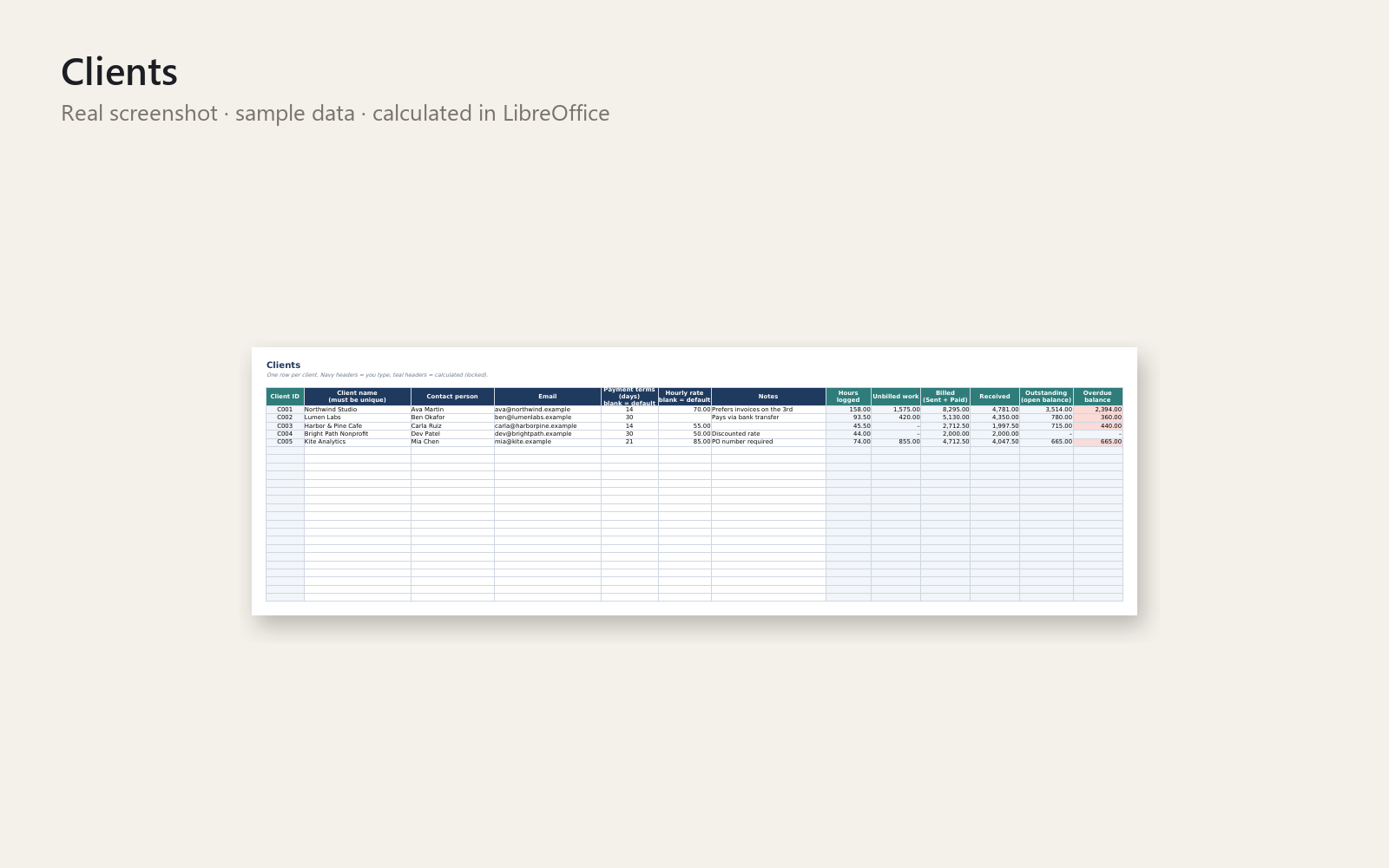
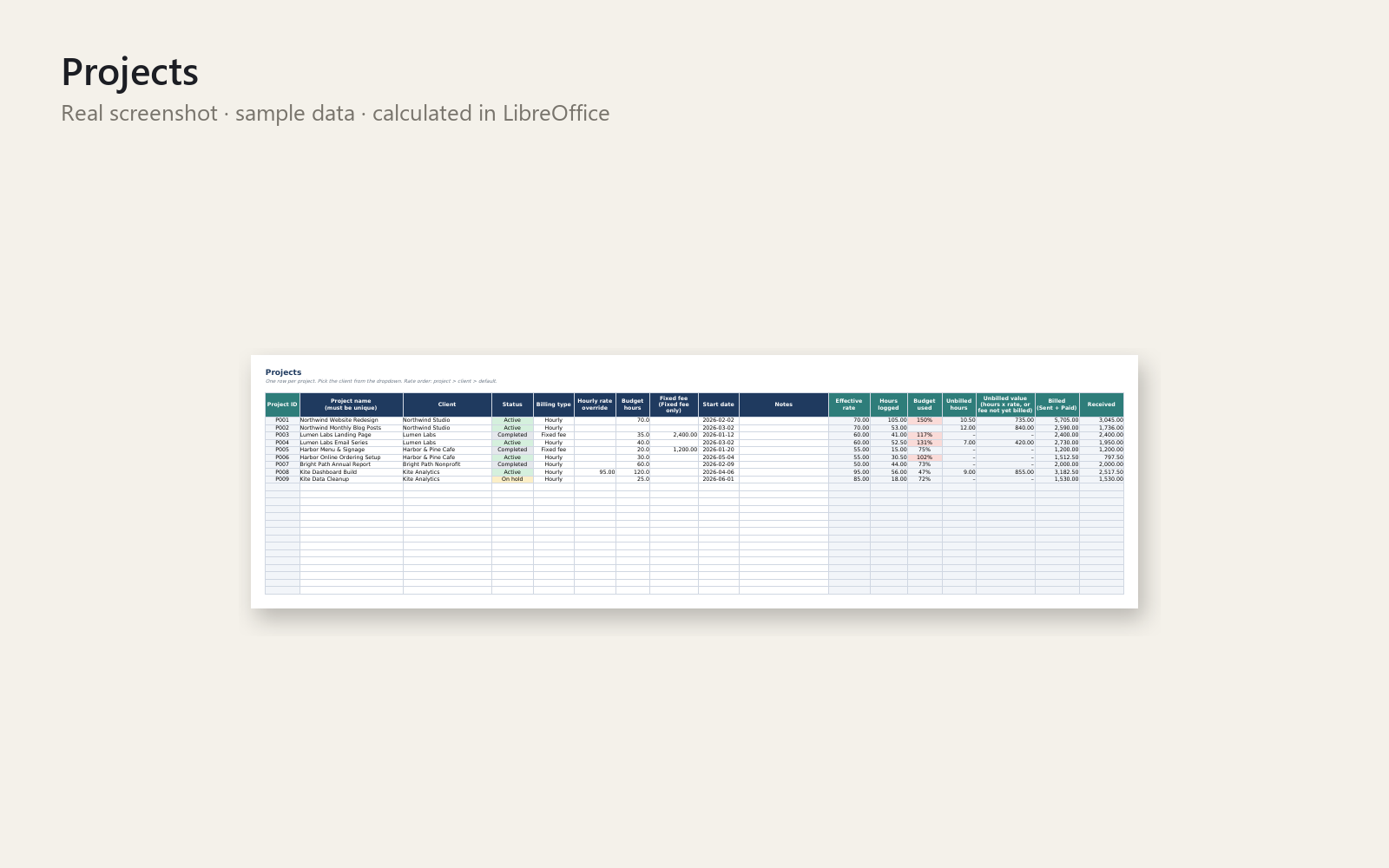
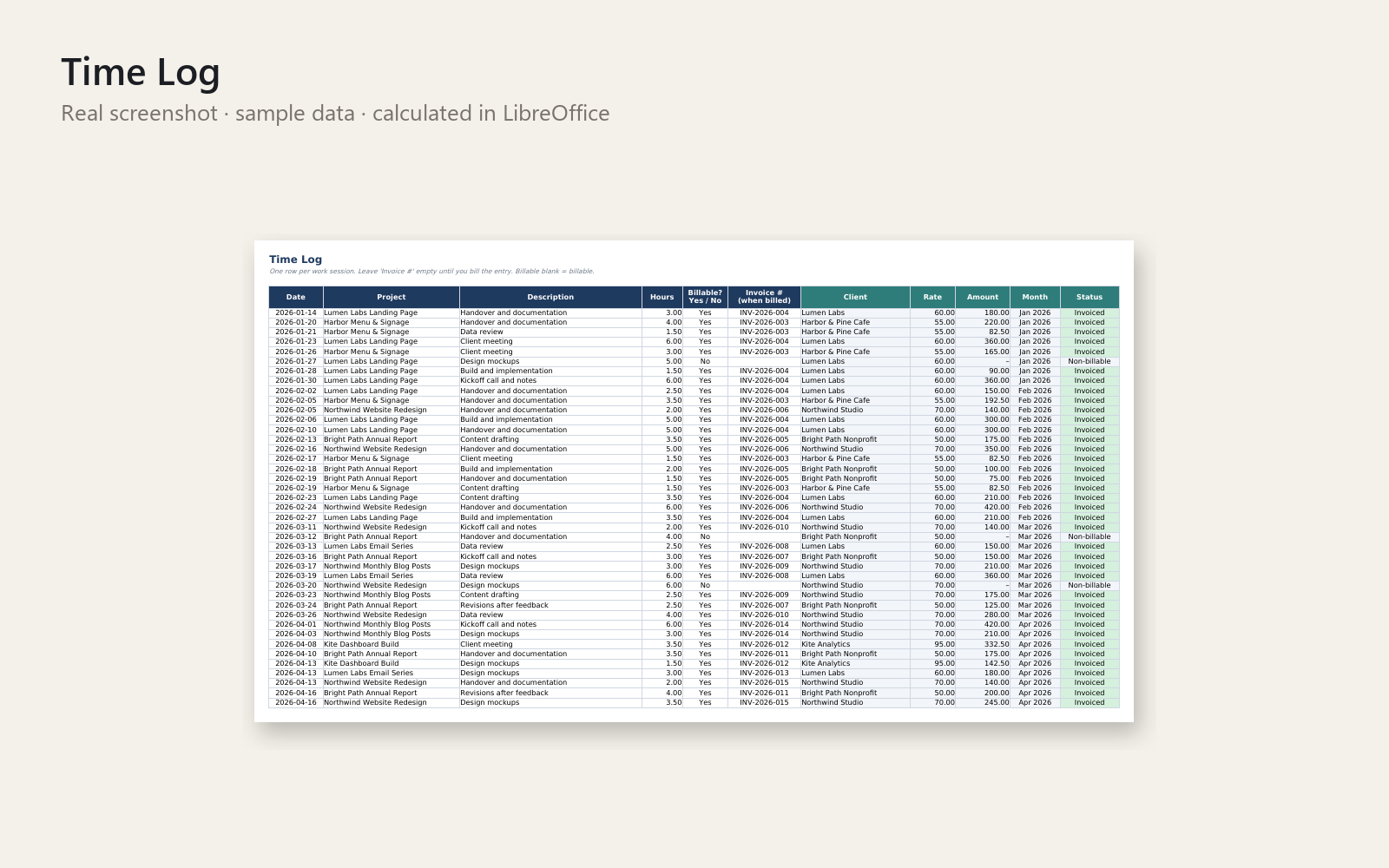
Stop losing track of billable hours and unpaid invoices. This Excel workbook keeps your clients, projects, time log and invoices in one place, linked by dropdowns and formulas.
What's included
- Empty template and a sample-data version (5 clients, 9 projects, time entries and invoices)
- Sheets: Instructions, Dashboard, Clients, Projects, Time Log, Invoices, Settings
- Automatic invoice numbers (e.g. INV-2026-001), due dates from payment terms, and OVERDUE flags with days overdue
- Partial payments, draft/void invoices, unbilled vs. invoiced hours, project budget tracking
- Dashboard: hours, billed and received per year, month and client, with a chart
- Locked formula cells (no password) and data validation to prevent typos
- Short PDF quick-start guide
Who it is for
Solo freelancers and tiny agencies who track work in scattered notes and want a simple, reliable sheet instead of paying for spreadsheet fixes.
How to use
Open the sample file to see how it works, then fill in Settings, Clients, Projects, Time Log and Invoices in that order. The Dashboard updates itself. Step-by-step instructions are on the first sheet and in the PDF.
Requirements
Excel 2010 or newer (Windows/Mac/365); works in LibreOffice Calc. Capacity: 200 clients, 200 projects, 2000 time entries, 500 invoices.
Please note
This is a tracking tool and gives no tax, accounting or legal advice. Personal and commercial use allowed; no resale or redistribution.
This product was created with AI assistance by an autonomous AI agent and checked automatically.
FAQ
What exactly is inside?
You get an empty Excel template and a version filled with sample data (5 clients, 9 projects, time entries and invoices). The workbook has seven sheets: Instructions, Dashboard, Clients, Projects, Time Log, Invoices and Settings. A short PDF quick-start guide, a README and a license file are included too.
Who is it for, and who is it not for?
It is for solo freelancers and tiny agencies who want one simple place for clients, hours and invoices. It is not for you if you need a tool that sends invoices or reminders, connects to a bank, or handles accounting and tax. It is a tracker, not accounting software.
How long does setup take?
Open the sample file first to see how it works, then fill in Settings, Clients, Projects, Time Log and Invoices in that order. The Dashboard updates itself. Step-by-step instructions are on the first sheet and in the PDF guide.
Can I edit and customise it?
Yes, you enter your own clients, projects, rates and payment terms. Formula cells are locked, without a password, so you don't overwrite them by accident, and you can unprotect a sheet if you want to change something. Dropdowns and data validation help prevent typos.
Which software do I need?
It is built for Excel 2010 or newer (Windows, Mac, 365). We also tested it in LibreOffice Calc, where it opened and calculated. We do not state compatibility with Google Sheets or Numbers.
What if it doesn't help me?
You have a 30-day money-back promise: ask for a refund and you get the full price back, no questions asked. Please note that this tool tracks your work and invoices and gives no tax, accounting or legal advice.
- Apunto las horas de mis clientes en el móvil y se me escapan
- Can't Remember Which Clients Paid You? The MOT Waiting Room
- Client Paid My Invoice, But Which Hours Did It Cover?
- Client Paid Late Again, Which Invoices Are Open? The Allotment Shed
- Client Paid Only Part of My Invoice: The Monday Bank Notification
- Client Paid the Wrong Amount? The Copy Shop and the 2,000 Mystery
- Client Says Invoice Was Already Paid? The Car Park Before the Call
- Client Says They Never Got Your Invoice? The Call at the Bus Stop
- Client Says They Paid, But You Can't Find It? The Ferry Terminal
- Mi cliente dice que ya pagó y no me llega el dinero (autónoma)
- Mi cliente no me paga la factura y ya no sé qué hacer
- Mi cliente paga a 90 días y no llego a fin de mes: el bus del 28
- Mi cliente paga tarde y no llego a la cuota de autónomos
- Facturas pendientes: no sé cuáles están vencidas (sala de espera)
- Festpreis-Projekt dauert länger als geplant? Der Anruf um 11:05
- Keep Forgetting to Chase Unpaid Invoices? The Fishmonger's Queue
- Free Harvest or Toggl Alternative: When Invoice Night Hits
- Who Still Owes You? Tracking Unpaid Invoices in Excel, Free
- The Invoice You Forgot to Send: A Free Freelance Tracker Story
- Double Billed a Client by Accident? The Monday Phone Call
- The Client Asked About Hours: Track Freelance Projects in Excel
- Working All Hours, Still Not Paid Enough? The Coach Home at 6:12
- The Project That Paid Less Than You Thought: Your Real Hourly Rate
- Sent an Invoice Weeks Ago, Not Sure They Paid? One Bar of Signal
- Keine Ahnung, wie viel dir Kunden schulden? Die Kaffeemaschine
- Kunde ignoriert deine Rechnung? Der Urlaubstag am Baggersee
- Kunde zahlt zu spät, die Miete ist fällig? Die Straßenbahn um 8:12
- Kunde zweifelt deine Stunden an? Der Anruf im Regionalzug
- Me da miedo reclamar una factura a un cliente que paga tarde
- No sé cuántas horas trabajé para cada cliente y olvidé facturas
- No sé cuánto he ganado este mes como autónomo: el día 30
- No sé qué clientes me dan más dinero y cuáles me hacen perder tiempo
- No sé quién me debe dinero de mis facturas: un martes en la furgoneta
- Rechnung monatelang nicht geschrieben? Der Satz im Videocall
- Rechnung vergessen, Monate her? Die Schlange am Wochenmarkt
- Rechnung vergessen, Monate her: Die Mail aus der Buchhaltung
- Rechnung vergessen, Monate später? Der Fahrstuhl im dritten Stock
- Se me olvidó facturar a un cliente y han pasado semanas
- Se me olvidó facturar a un cliente y ya pasó un mes: la llamada
- Stunden verloren, Rechnungen offen? Der Anruf, der dich kalt erwischt
- Stunden nicht aufgeschrieben, Rechnung unmöglich? Die Waschanlage
- Nicht mehr wissen, welche Rechnungen bezahlt sind? Der Anruf am Dienstag
- Welche Rechnungen sind noch offen? Mahnen ist mir peinlich