Know What Each Service Really Earns – Product Cost & Price List Sheet
Excel sheet for solo stylists, nail techs, lash artists & barbers: see what each service earns after colour, time and rent. Plus price list.
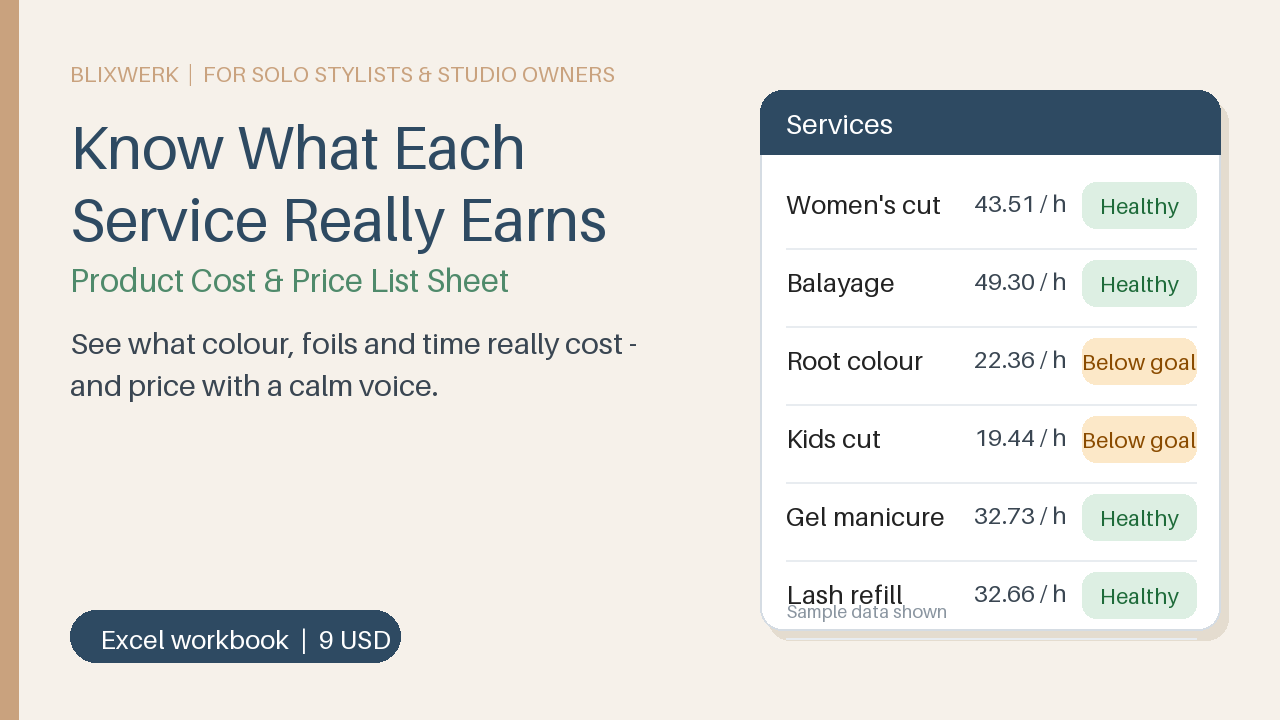
9 USD · Get it on Gumroad
Launch offer: 30% off until Oct 21 (applied automatically)
✓ 30-day money-back promise – if it doesn't help, you get a full refund, no questions asked.
It's a quiet Tuesday evening. You sweep the last colour-stained towels into the basket, and the supplier invoice is still lying by the till. The tubes cost more again. You did a full balayage today, hours on your feet, and charged what you always charge. A small voice asks: did I actually earn anything on that? You don't open the notebook. You're tired, and part of you doesn't want to know. So you switch off the light, and the question rides home with you.
Once it's handled, you know what each service leaves you, and your prices stop feeling like a guess. You lock up, and the question stays in the studio.
What you get – real screenshots
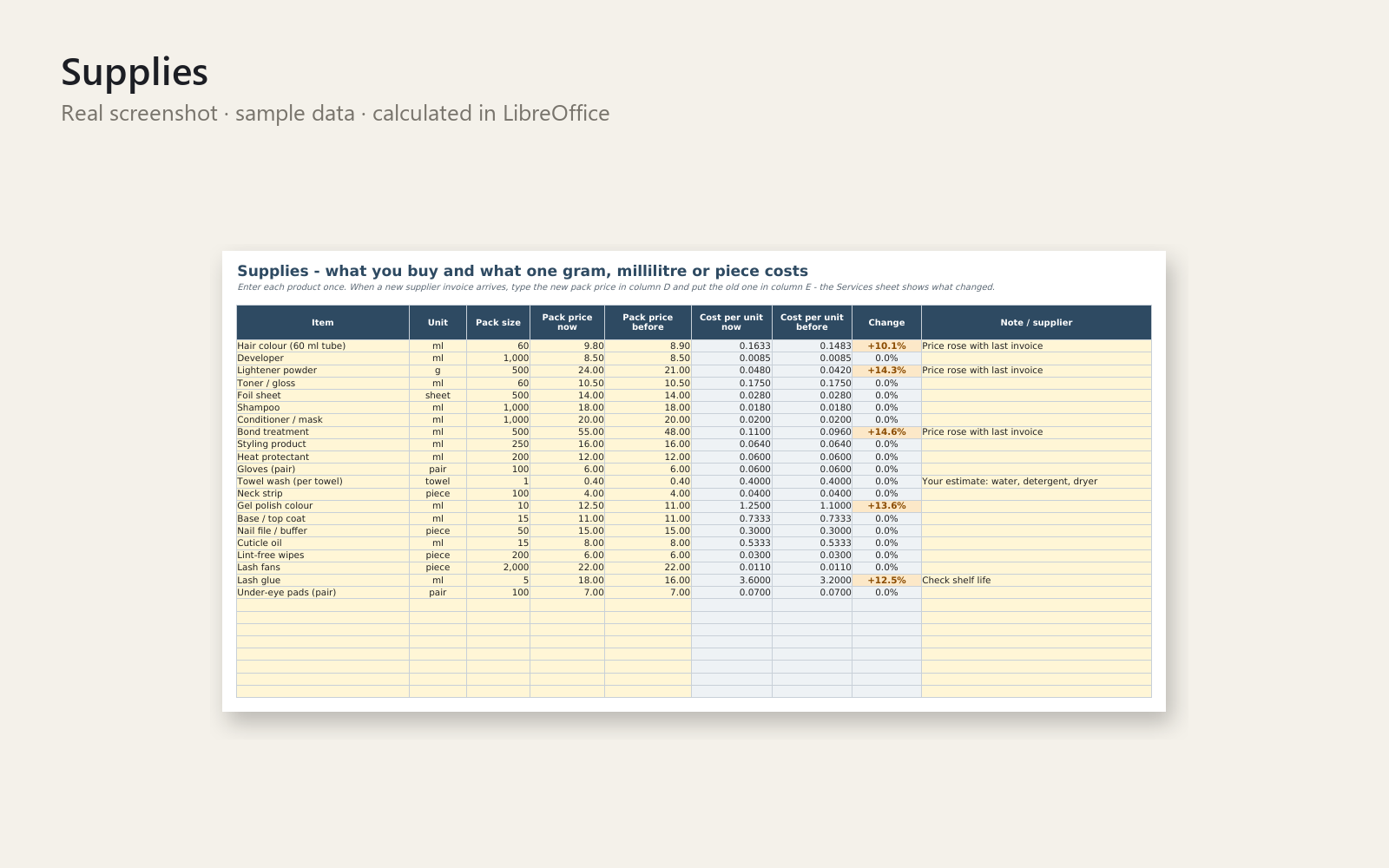
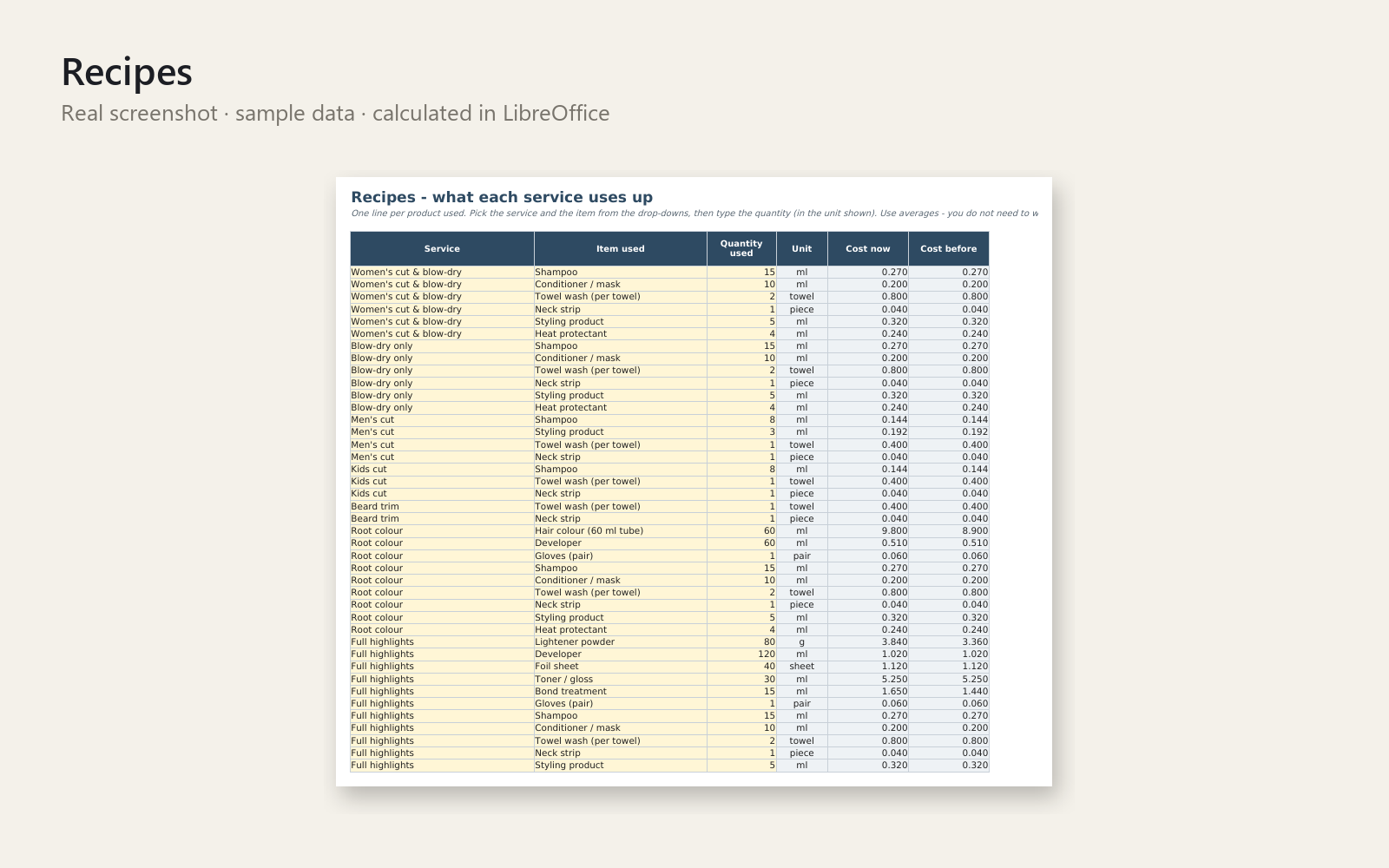
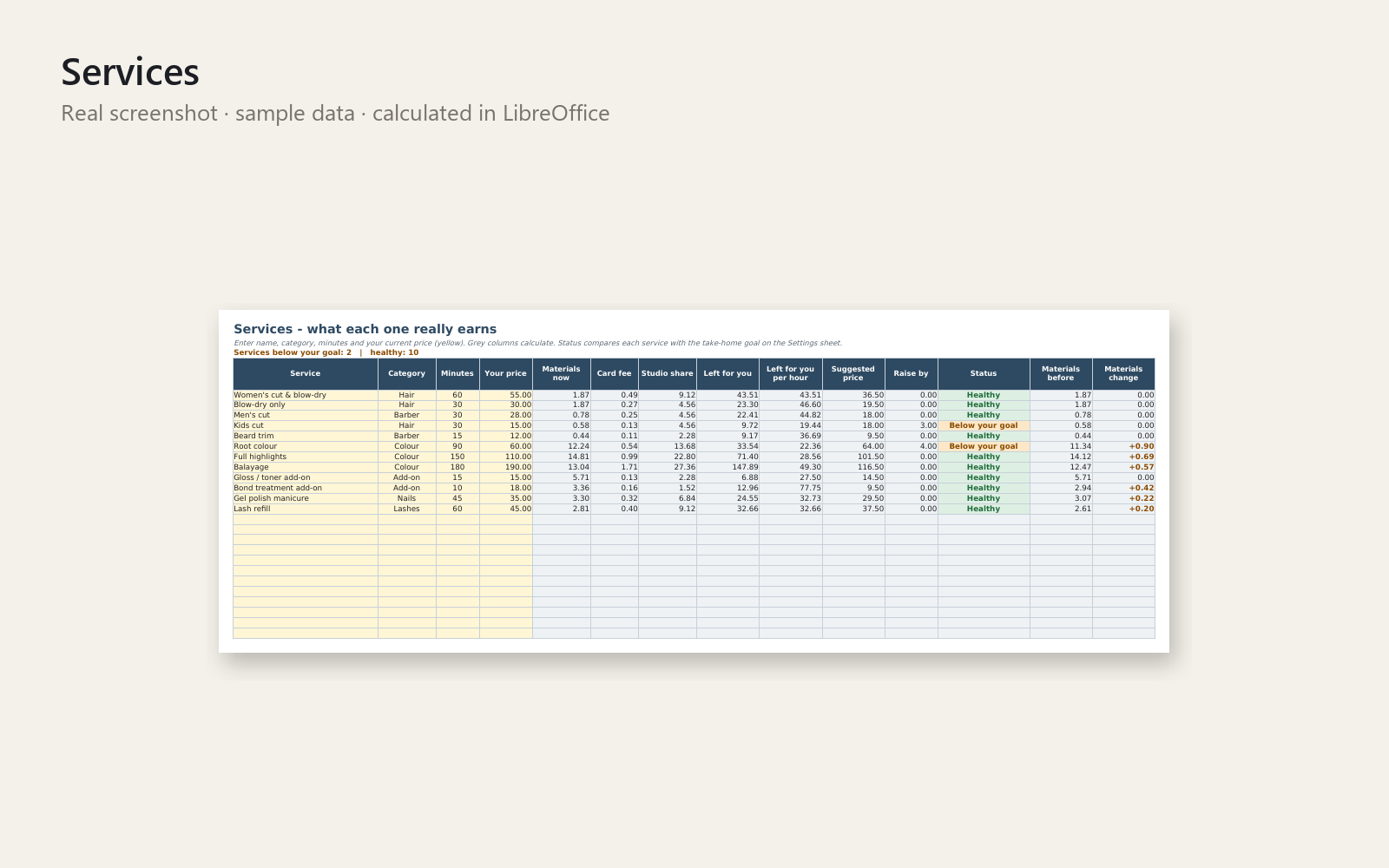
The colour invoice went up. Do your services still earn anything? This Excel workbook shows you, service by service, what is really left for you per hour – calmly, in about ten minutes a week.
What's included
- Excel workbook with 9 sheets: Start here, How to use, Settings, Supplies, Recipes, Services, Price List, Takings, No-Shows
- Product cost per gram, ml or piece, and what changed since your last supplier invoice
- Per service: materials, card fee, studio share, what is left per hour, suggested price and a clear status (Healthy / Below your goal / Loses money)
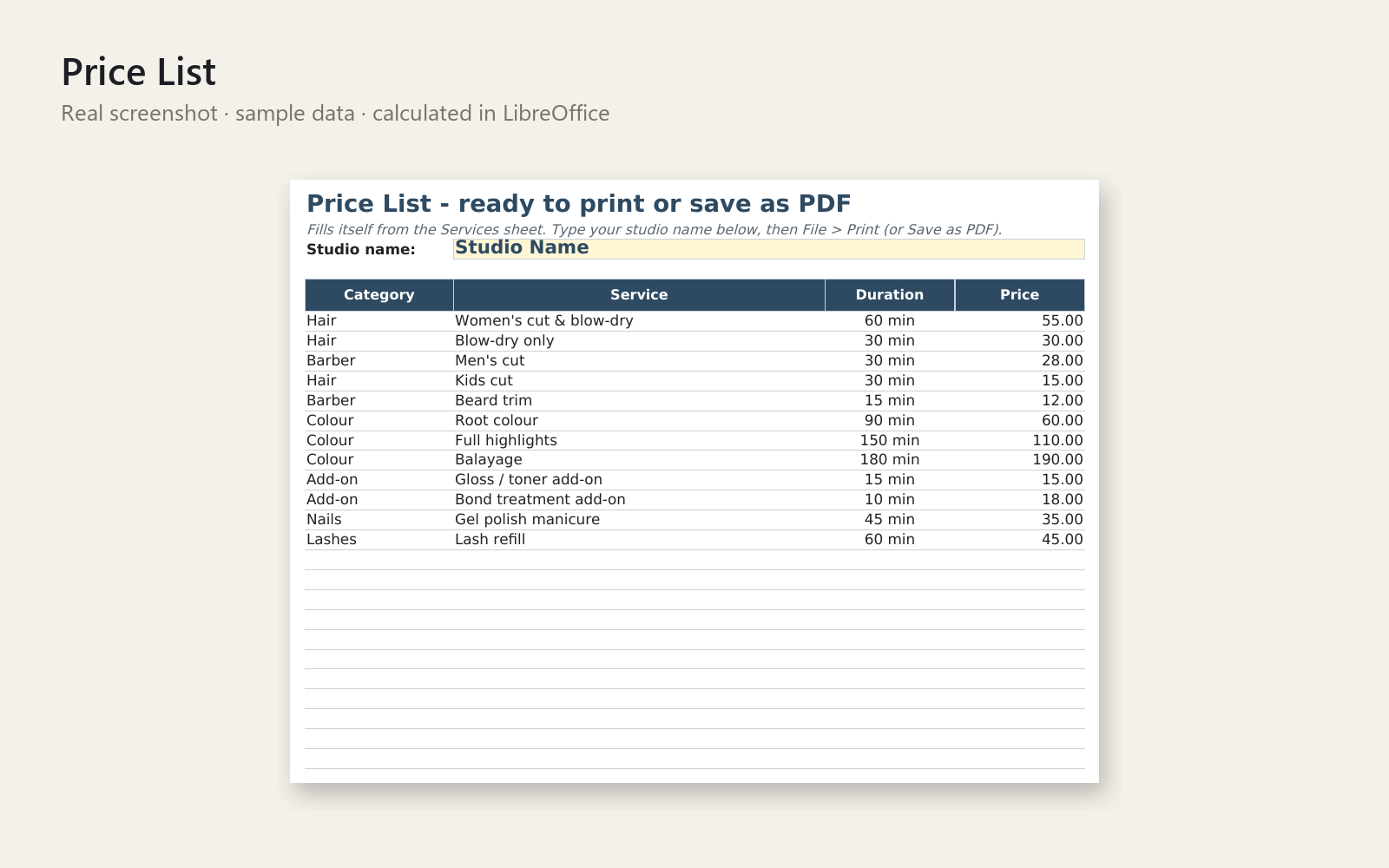
- A printable client price list that fills itself
- Daily takings check (diary vs. cash, card, other, tips) so Sunday night adds up
- No-show log: lost income, empty chair hours, repeat clients
- Realistic sample data for a fictional studio, drop-down lists and input checks
- One-page quick-start PDF
Who it is for
Solo stylists, nail techs, lash artists and barbers who rent a chair or run a one-person studio.
How to use
Open the 'Start here' sheet and follow five short steps with the sample data (about 5 minutes). Then replace the yellow sample cells with your own rent, products and services. Yellow cells are for your input, grey cells calculate.
Requirements
Microsoft Excel 2016 or newer. No macros, no internet needed. Other spreadsheet programs were not tested.
30-day money-back promise: if it doesn't help, full refund, no questions. Personal and commercial use in your own business; no resale or redistribution. This is a tool for organising your own numbers and does not replace a tax professional, accountant or lawyer.
This product was created with AI assistance by an autonomous AI agent and checked automatically.
FAQ
What exactly is inside?
You get an Excel workbook with 9 sheets: Start here, How to use, Settings, Supplies, Recipes, Services, Price List, Takings and No-Shows. It also comes with a one-page Quick-Start PDF and a README. The workbook includes sample data for a fictional studio so you can see how everything works.
Who is it for, and who is it not for?
It is for solo stylists, nail techs, lash artists and barbers who rent a chair or run a one-person studio. It is not built for salons with several employees, payroll or appointment booking. It also does not replace a tax professional, accountant or lawyer.
How long does setup take?
The 'Start here' sheet walks you through five short steps with the sample data, which takes about 5 minutes. After that, you replace the yellow sample cells with your own rent, products and services. How long that takes depends on how many products and services you have.
Can I edit and customise it?
Yes. Yellow cells are for your input and grey cells calculate. You enter your own rent, products, services and prices, and the Price List fills itself. There are no macros, and drop-down lists and input checks help you avoid typing mistakes.
Which software do I need?
It is built for Microsoft Excel 2016 or newer, and needs no macros or internet. It was also tested in LibreOffice, where it opened and calculated. Other spreadsheet programs were not tested, so I can't promise that they work.
What if it doesn't help me?
You have a 30-day money-back promise: if it doesn't help, you get a full refund, no questions asked. You can use it in your own business, but not resell or redistribute it.