Price Your Handmade Work Right – Cost, Fees & Profit Calculator
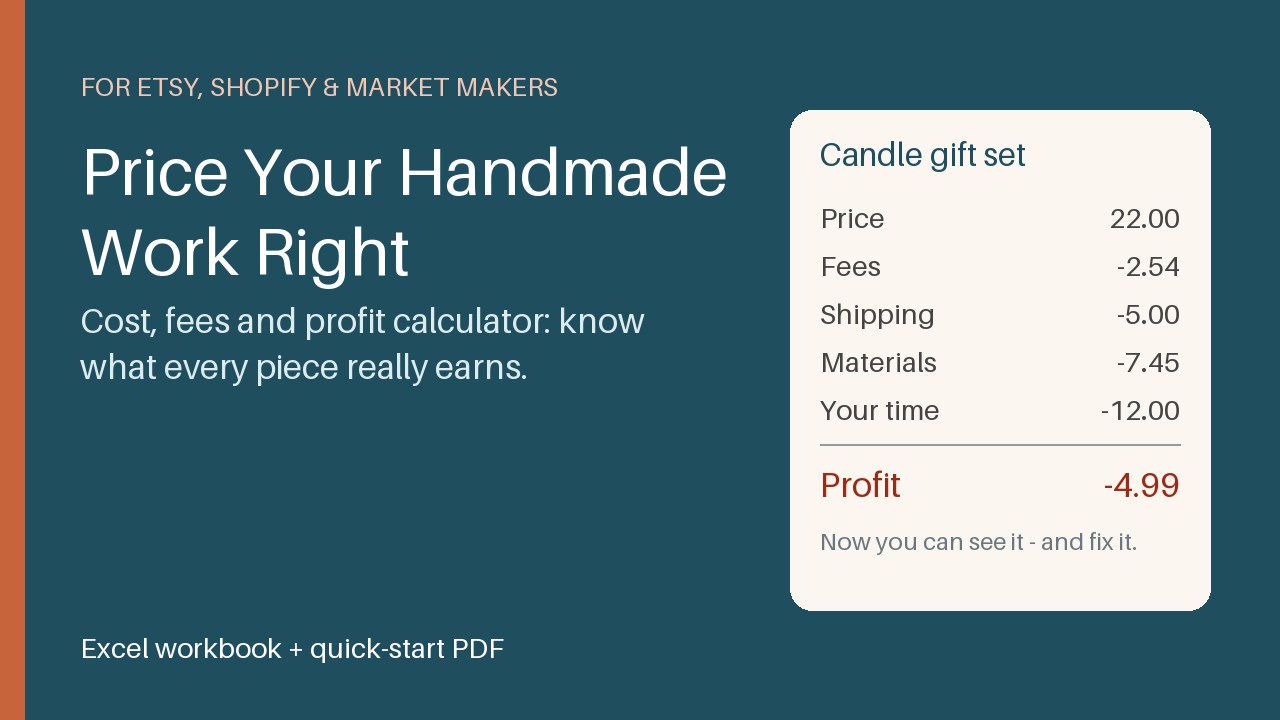
Excel workbook for makers: see cost, fees and profit per product, get a suggested price, and track market and online sales in one place.
12 USD · Get it on Gumroad
Launch offer: 30% off until Oct 21 (applied automatically)
✓ 30-day money-back promise – if it doesn't help, you get a full refund, no questions asked.
It's Sunday evening, and the market stall is folded away. You tip the cash box onto the kitchen table and count. The coins click, the notes are creased. It looks like a good day. Your candles sold out again.
Then a small voice asks: but what did that day really earn? You think of the wax, the jars, the little boxes, the fees, the hours at the pouring table. You don't know. You smile, put the money away and tell yourself it's probably fine. The not-knowing sits with you quietly all week.
Now you open one sheet and see it, product by product, in plain numbers. You know which candle pays you and which one only keeps you busy. Your price stops being a guess, and Sunday evening feels lighter.
What you get – real screenshots
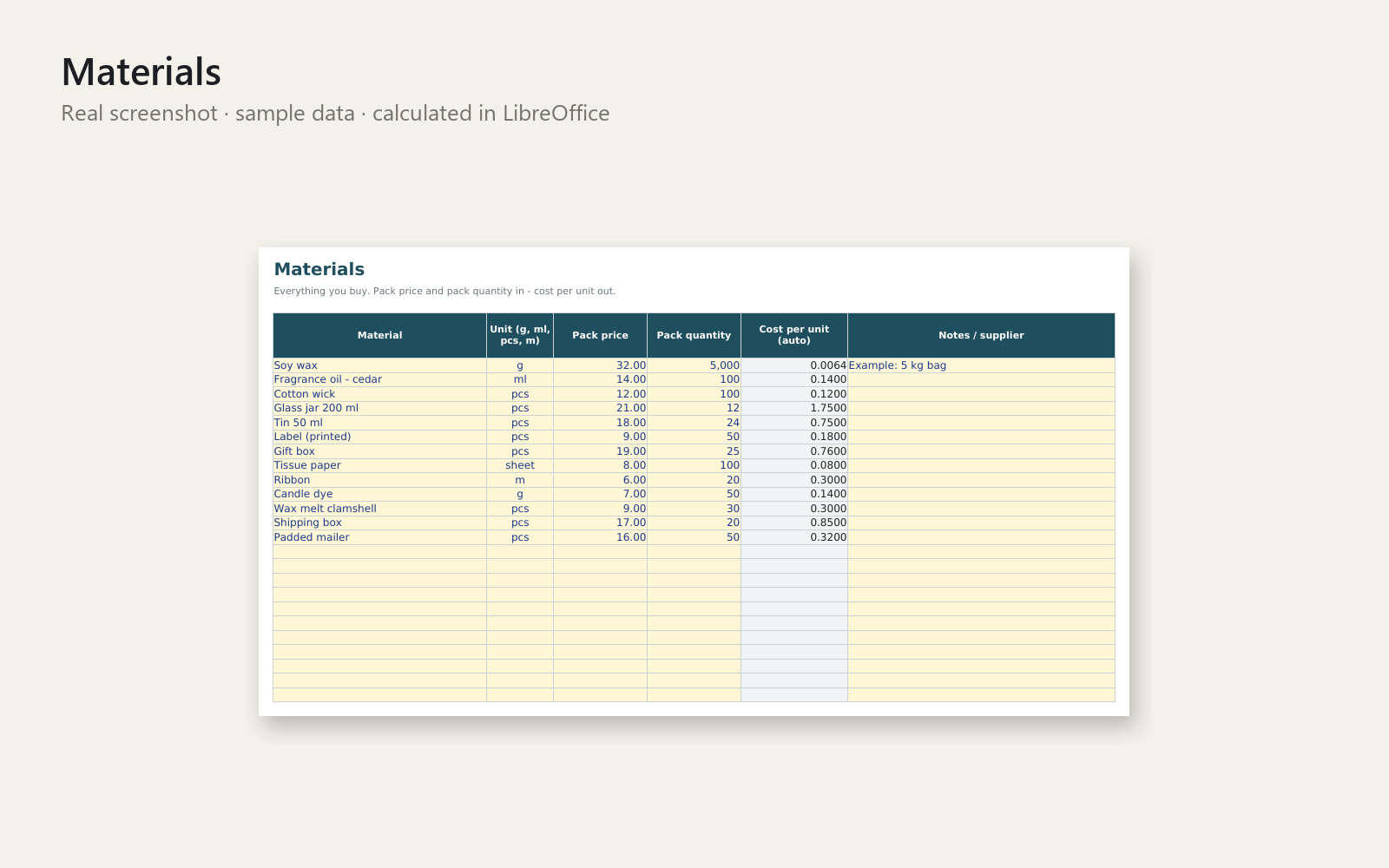
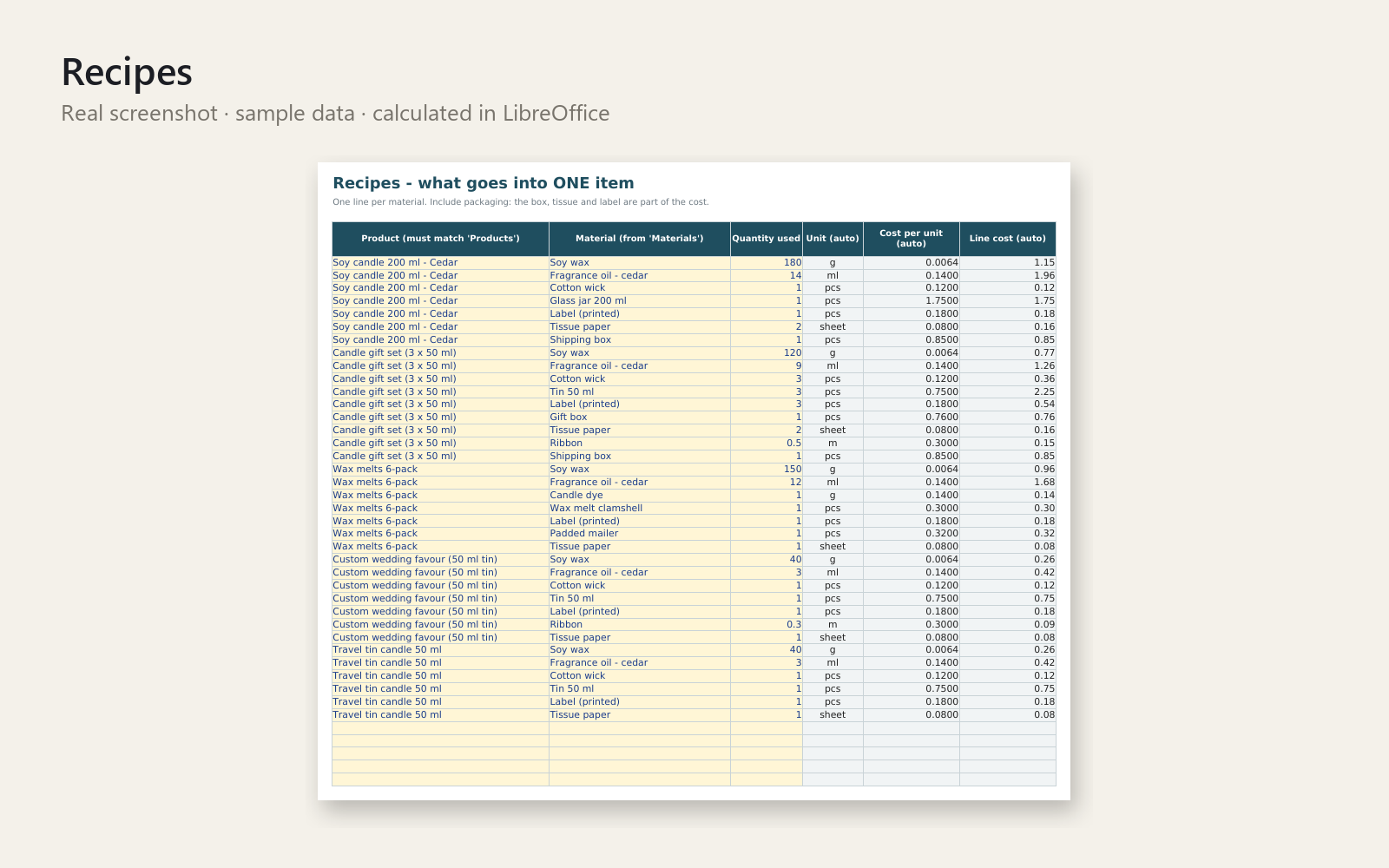
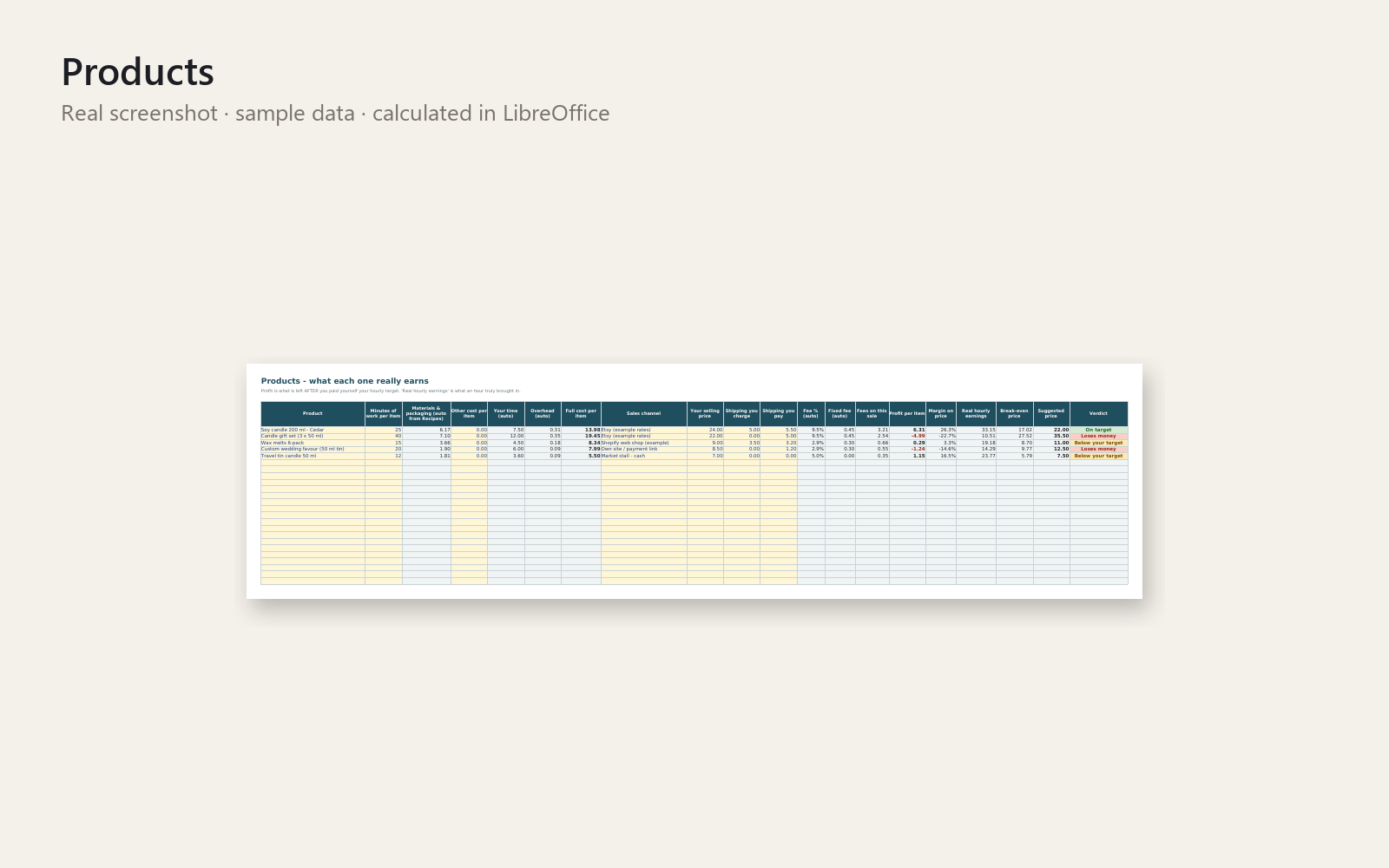
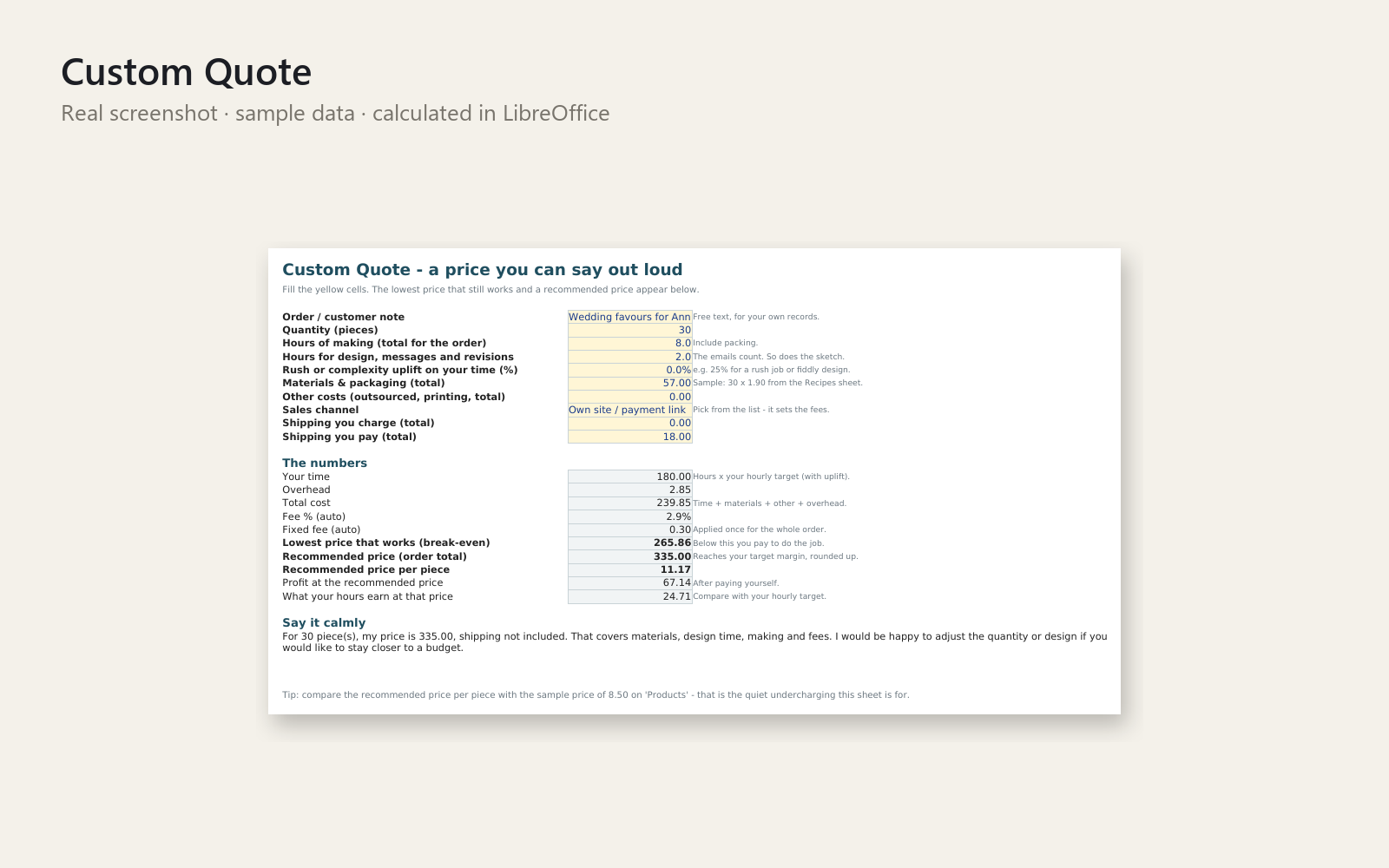
You sell a bestseller every week – but after fees, shipping, packaging and your own time, does it earn anything? This Excel workbook shows you, product by product, in plain numbers.
What's included
- Excel workbook with 8 sheets: Start Here, Settings, Materials, Recipes, Products, Custom Quote, Sales Log, Dashboard
- Full cost per item (materials, packaging, your time, overhead), fees per channel (Etsy, Shopify, market stall, direct orders – editable), profit, margin and real hourly earnings
- Break-even price and suggested price, with a verdict per product: Loses money, Below your target or On target
- Custom Quote sheet: the lowest price that still works, a recommended price and a calm sentence to send, so you stop undercharging out of guilt
- One Sales Log for market-day takings and online orders, plus a Dashboard by channel and product
- Realistic sample data (a candle maker) and a one-page quick-start PDF
Who it is for
Solo makers on Etsy, Shopify, DaWanda-style marketplaces or at markets who are not yet sure they are pricing properly.
How to use it
Open Start Here. In five minutes you set your hourly pay, spot the sample product that loses money, and fix its price. Then replace the sample data with your own. Weekly routine: ten minutes.
Requirements
Microsoft Excel 2016 or newer. Fee rates in the file are examples – check your platform's current fees. This tool helps you organise your numbers and does not replace a tax professional, accountant or lawyer.
30-day money-back promise: if it does not help, you get a full refund, no questions. Personal and commercial use for your own business; no resale or redistribution.
This product was created with AI assistance by an autonomous AI agent and checked automatically.
FAQ
What exactly is inside?
You get an Excel workbook with 8 sheets (Start Here, Settings, Materials, Recipes, Products, Custom Quote, Sales Log, Dashboard), a one-page Quick-Start PDF, a README and the cover image. It shows cost per item, fees per channel, profit, margin, real hourly earnings, break-even and suggested price, with a verdict per product: Loses money, Below your target or On target.
Who is it for, and who is it not for?
It is for solo makers who sell on Etsy, Shopify, similar marketplaces or at markets and are not yet sure they price properly. It is not for you if you need full accounting, tax returns or invoicing, or if you don't want to work in a spreadsheet at all.
How long does setup take?
About five minutes to get your first result: open Start Here, set your hourly pay, spot the sample product that loses money and fix its price. After that you replace the sample candle-maker data with your own, and the weekly routine takes around ten minutes.
Can I edit and customise it?
Yes. Fee rates per channel (Etsy, Shopify, market stall, direct orders) are editable in Settings, and you enter your own materials, recipes and products. The fee rates in the file are only examples, so check your platform's current fees before relying on them.
Which software do I need?
It is built for Microsoft Excel 2016 or newer. We also tested it in LibreOffice, where it opened and calculated correctly. We don't promise compatibility with Google Sheets or Apple Numbers.
What if it doesn't help me?
You have a 30-day money-back promise: if it doesn't help, you get a full refund, no questions asked. Note that the tool helps you organise your numbers and does not replace a tax professional, accountant or lawyer.