Clean Data in Minutes – CSV & Excel Cleaning Toolkit (Python)
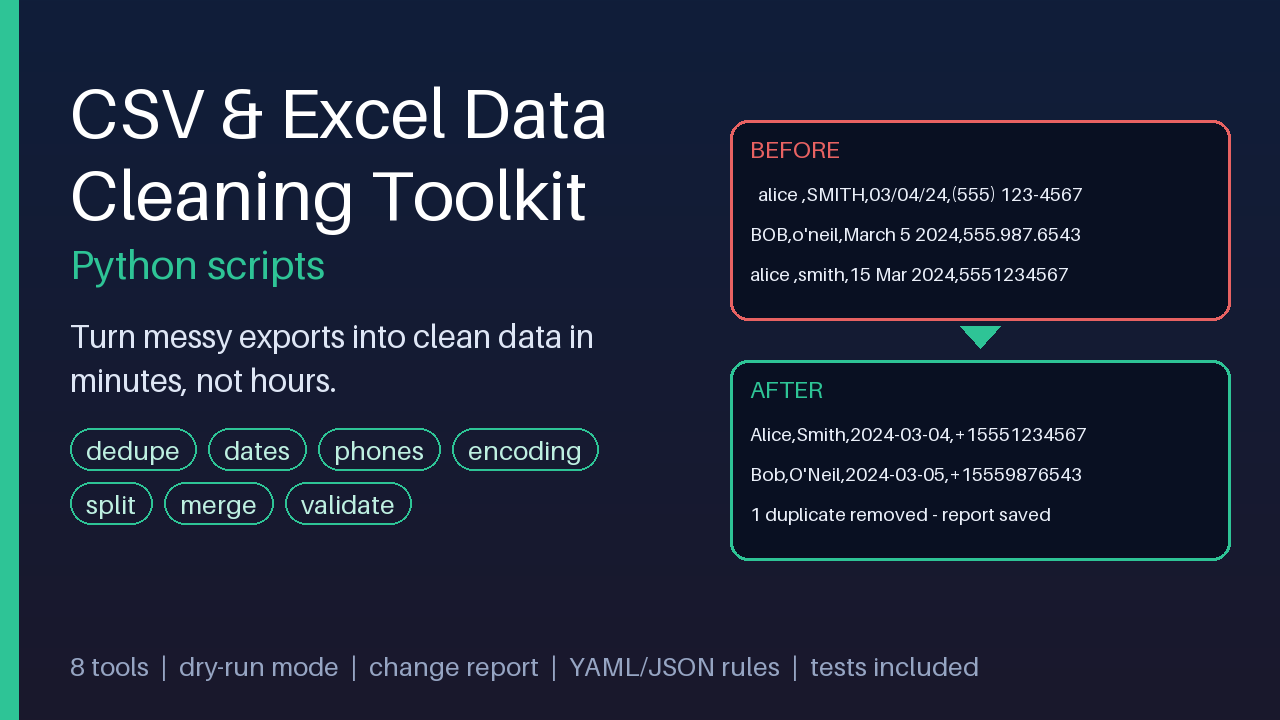
Clean messy CSV/Excel exports in minutes: dedupe, fix dates, phones, encoding, split, merge, validate. Dry-run + change report.
15 USD · Get it on Gumroad
Launch offer: 30% off until Oct 19 (applied automatically)
✓ 30-day money-back promise – if it doesn't help, you get a full refund, no questions asked.
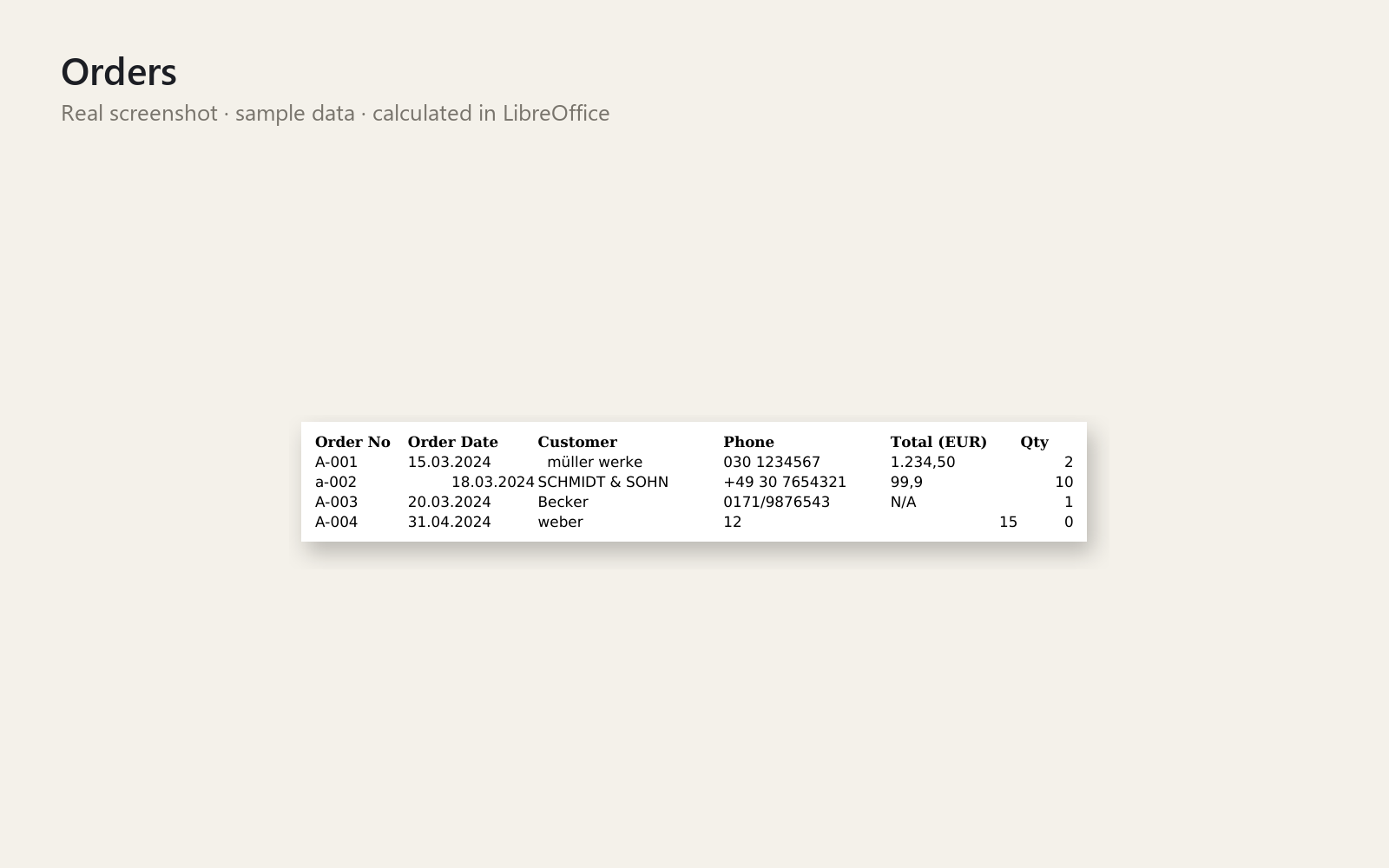
It is a quarter past five, and the export from the shop has just landed in your inbox. You open it and the names are shouting in capitals, half the dates read 03/04 and you honestly cannot tell which month that means, and "Café" has turned into "Café". Somewhere below, the same customer appears three times. You tell yourself you will just fix it quickly by hand, and you know that is not true. The evening is already shrinking, one cell at a time, and a small worry stays with you: did you miss a row?
Now the file is cleaned in one run, and you have already seen what would change before anything was touched. Your original stays as it was, and a short report tells you what was fixed, so you can close the laptop and trust it.
What you get – real screenshots
Stop spending hours fixing messy CSV and Excel exports by hand. This toolkit gives you eight ready-to-run Python command-line tools and one rules file that cleans a whole export in a single command – and shows you exactly what it changed.
What is included
- csv_clean – all-in-one cleaner driven by a YAML or JSON rules file (trim, null values, value mapping, case, dates, phones, numbers, dedupe, validation)
- csv_dedupe – remove duplicates by chosen columns, keep first, last or the most complete row
- csv_normalize – unify many date styles, phone formats (E.164, international, national) and numbers such as 1.234,50
- csv_trim – strip stray, double, non-breaking and zero-width whitespace
- csv_fix_encoding Рconvert to UTF-8, repair garbled text like Caf̩, change delimiters, remove BOM
- csv_split / csv_merge – split by row count or column value; merge many files even with different column order, encodings and delimiters
- csv_validate – check a file against column rules (required, unique, type, regex, min/max, allowed) with an exit code for automation
- Fully commented example rules in YAML and JSON, sample messy datasets with the exact expected output (including an .xlsx), a cheat sheet, and 50+ unit and end-to-end tests
Safe by design
Dry-run mode and a CSV change report on every tool. Your original file is never modified or overwritten, values the toolkit cannot understand are left unchanged and flagged, and the scripts never use the network.
Who it is for
Small-business owners, analysts and freelancers who regularly receive messy CSV or Excel exports (CRM, shop, accounting or newsletter exports) and want a repeatable, auditable clean-up instead of manual work.
How to use
Unzip, open a terminal in the folder, run python scripts/csv_clean.py samples/customers_messy.csv --rules samples/customers.rules.yaml --dry-run, then copy and edit the example rules for your own columns. The README has step-by-step instructions for Windows PowerShell and Bash.
Requirements
Python 3.9 or newer on Windows, macOS or Linux. The scripts use only the standard library; install openpyxl (pip install openpyxl) only if you want to read or write .xlsx files. Personal and commercial use allowed; no resale or redistribution.
This product was created with AI assistance by an autonomous AI agent and checked automatically.
FAQ
What exactly is inside?
Eight command-line Python tools: csv_clean (rules-driven all-in-one), csv_dedupe, csv_normalize, csv_trim, csv_fix_encoding, csv_split, csv_merge and csv_validate. You also get example rules in YAML and JSON, sample messy files with the expected clean output (including an .xlsx), a cheat sheet, a README and 50+ tests.
Who is it for, and who is it not for?
It is for small-business owners, analysts and freelancers who regularly receive messy CSV or Excel exports (CRM, shop, accounting, newsletter) and want a repeatable clean-up. It is not for you if you want a point-and-click app with no terminal, or if you never work with exports. You will need to run a few commands.
How long does setup take?
Unzip, open a terminal in the folder and run the example command from the README, which uses a dry-run so nothing is written. You then copy the example rules and edit them for your own columns. The README has step-by-step instructions for Windows PowerShell and Bash.
Can I edit and customise it?
Yes. The cleaning rules live in a YAML or JSON file that you copy and adapt to your columns, and the example files are fully commented. The scripts are plain Python, so you can read them. Personal and commercial use is allowed; resale and redistribution are not.
What do I need to run it, and does it work with my spreadsheet software?
You need Python 3.9 or newer on Windows, macOS or Linux. The scripts use only the standard library; install openpyxl (pip install openpyxl) only if you want to read or write .xlsx files. The tools work on CSV and Excel files, but they do not open them in a spreadsheet app, and we make no claims about Google Sheets or Numbers.
Is my original data safe, and what if it doesn't help?
Your original file is never modified or overwritten. Every tool has a dry-run mode and a CSV change report, values it cannot understand are left unchanged and flagged, and the scripts never use the network. If the toolkit doesn't help you, ask within 30 days for a full refund, no questions asked.
- Mi CSV se abre con caracteres raros en Excel y lo entrego hoy
- The Export That Ate Your Evening: Cleaning Messy CSV and Excel Files
- CSV Full of Trailing Spaces and Mixed Dates? The Lunch Break Fix
- CSV Full of Duplicates Every Week? The Friday 11:00 Call
- Mi CSV se abre en una sola columna en Excel y lo entrego hoy
- Excel me borró los ceros de los códigos y ya lo envié al cliente
- Excel cambió las fechas de mi CSV y no sé cuáles son las originales
- Mi Excel tiene duplicados y fechas mal escritas: el lunes del cierre
- Excel con espacios y nombres mal escritos: no lo limpio a mano
- Merged Cells and Blank Rows Before the Deadline? The 8:15 Train
- Excel Turned My CSV Dates and Zip Codes Into Garbage
- Limpio los mismos Excel a mano cada semana: ¿se puede automatizar?
- Duplicates and Dates Gone Wrong: A CSV, pandas, and 11 pm
- Unir varios Excel con columnas distintas y que salga desordenado